Claude & ChatGPT
Talk to your library from claude.ai
AI Library is free when you bring your own AI: add it as a connector and Claude can list your books, read them, search inside them and pick up where you left off.
Works the same in the claude.ai web, desktop and mobile apps. Custom connectors need a paid Claude plan (Pro, Max, Team or Enterprise).
claude.ai
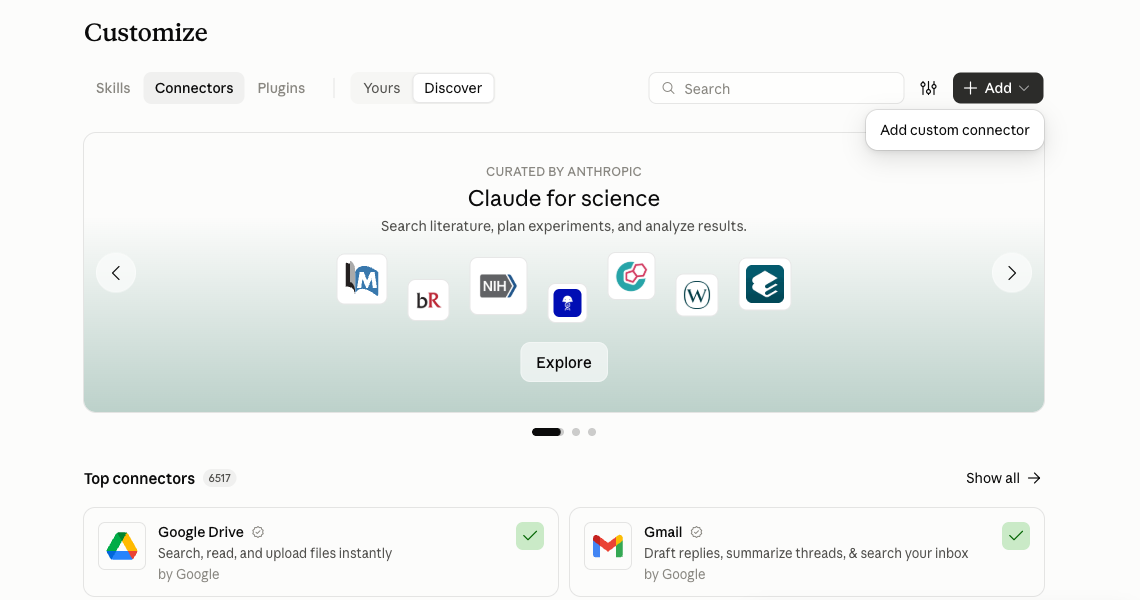
- Sign in to claude.ai, open Customize → Connectors and press Add at the top right. If you know your way around connectors, that is the whole job: add the URL below as a custom connector, then ask Claude "What's in my AI Library?"
Connector URL
https://api.humanbookproject.com/mcp
What your AI can see
- Only the public library, until you sign in.
- Your own library once you sign in. Nobody else's.
- Book text is read on demand, section by section, so your AI only sees what it asks for.
Prefer to read it yourself?
Everything your AI can reach is also in the reader, with chat, listen mode and your reading position synced across the web, the iPhone app and the connector.